
Expense Tracking That Stays With You
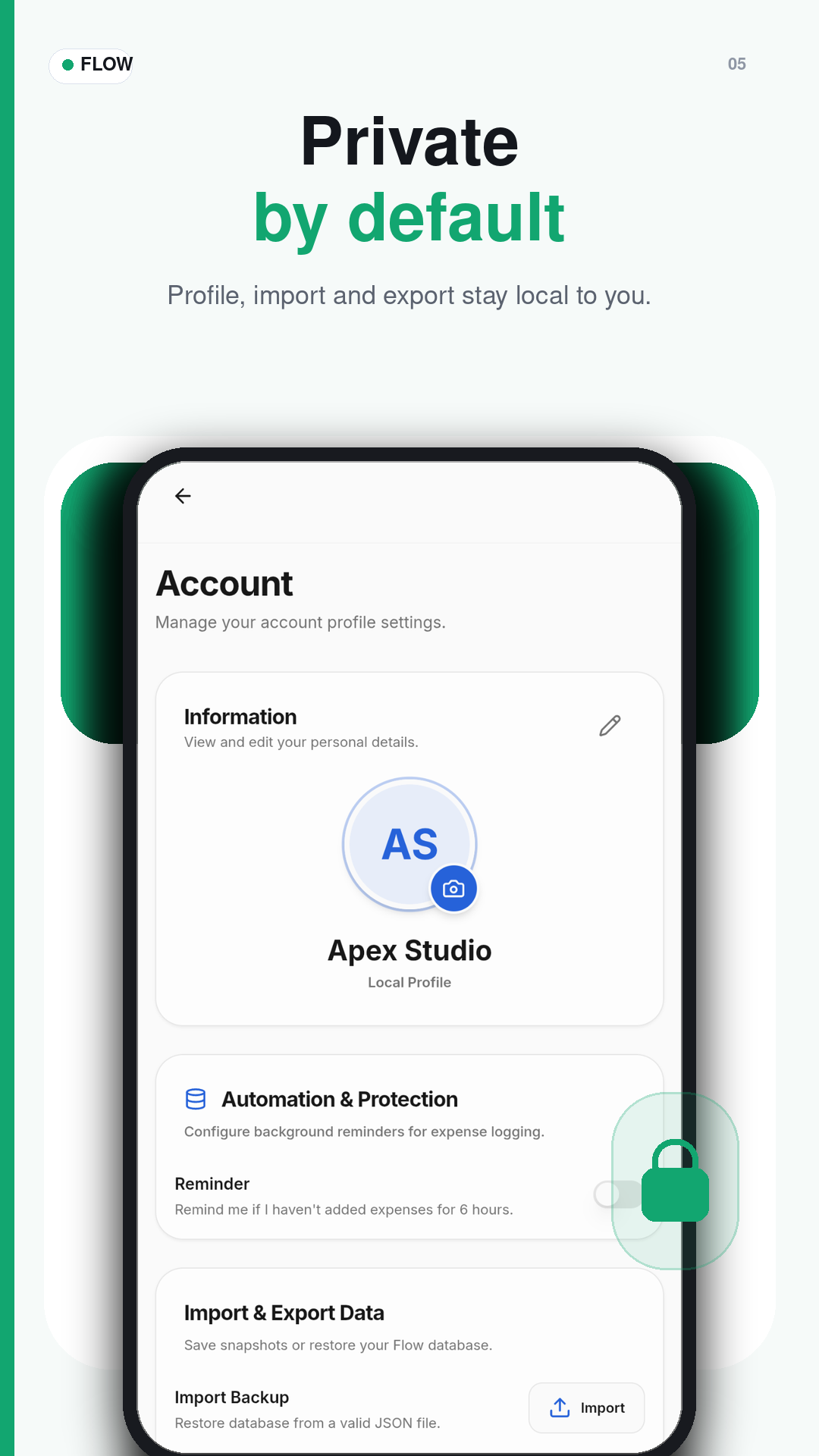
Flow helps you record expenses, plan category and monthly budgets, and review spending insights while keeping your finance records stored locally on your device.
Available on Google Play • Open source on GitHub
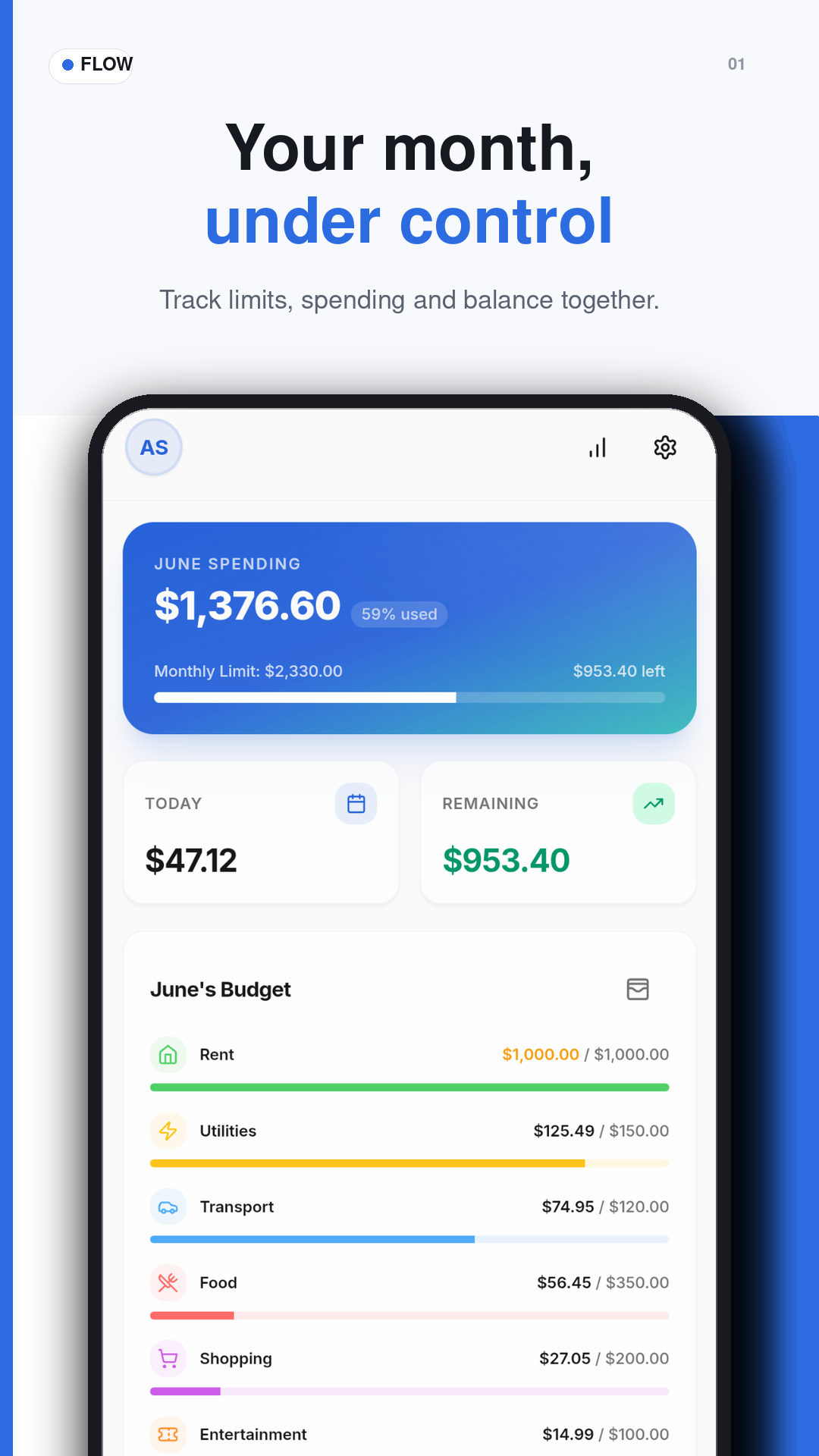
A Clean Android Experience for Everyday Finance
Explore Flow's main screens for recording expenses, planning budgets, reviewing insights, and managing local backups.
From Daily Expenses to Clear Spending Insight
Flow is designed around a simple routine: record what you spend, organize it clearly, compare it with your budget, and keep your data under your control.
Record Spending
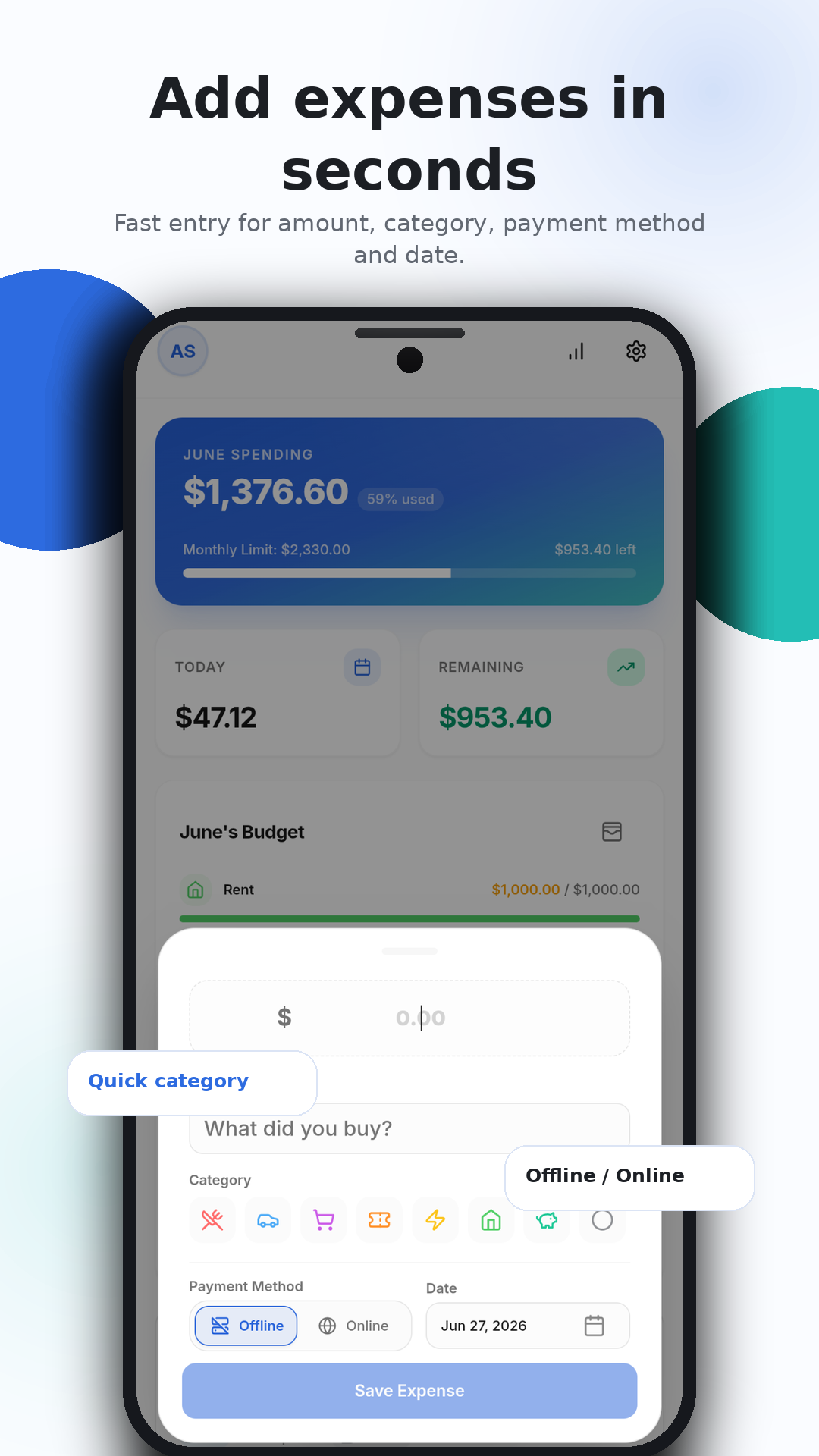
Add an expense with amount, category, payment method, description, and date.
Organize Categories
Use categories, colors, and icons to keep every transaction easy to recognize.
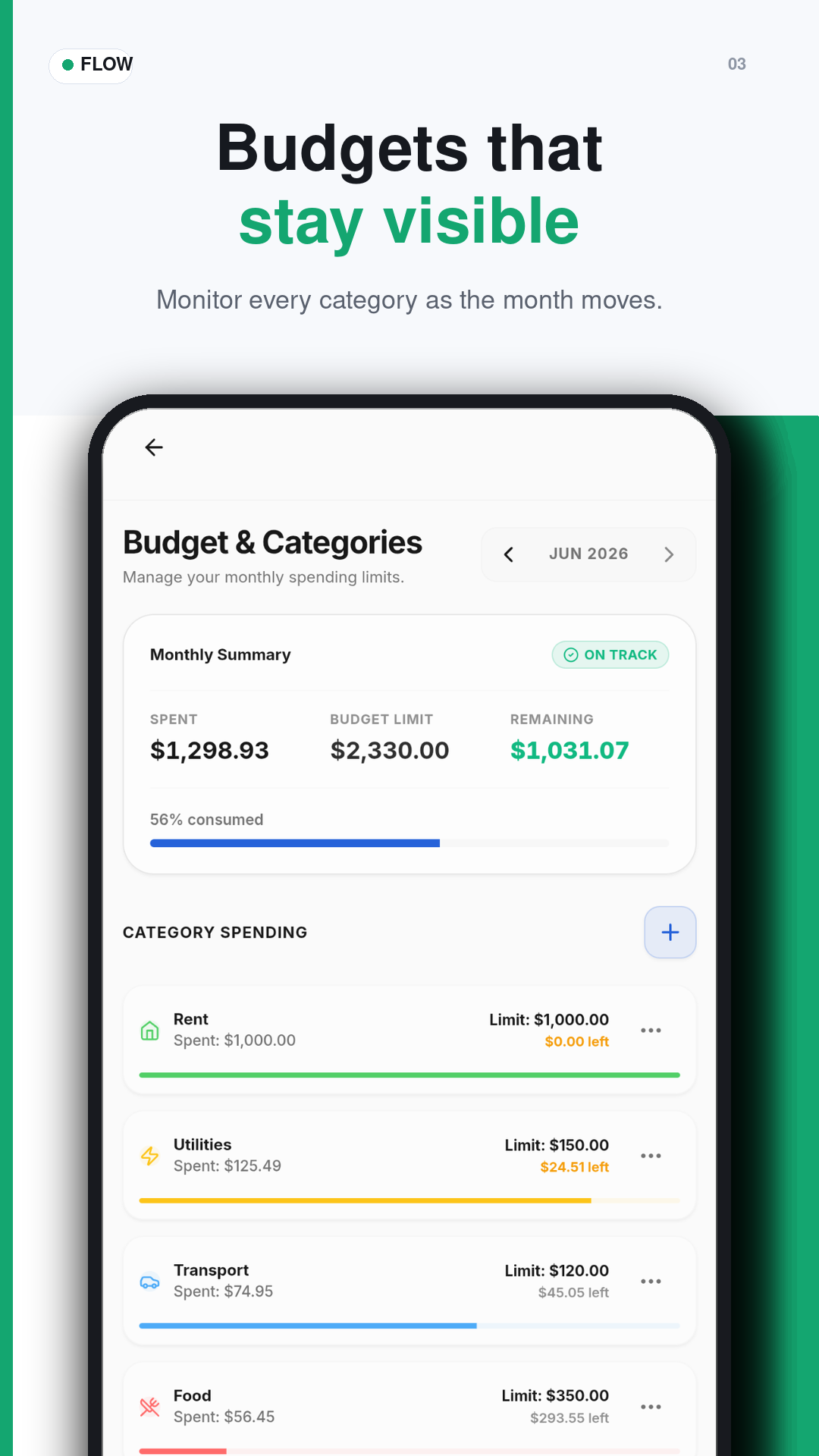
Plan Budgets
Set monthly and category budgets so limits stay visible while you spend.
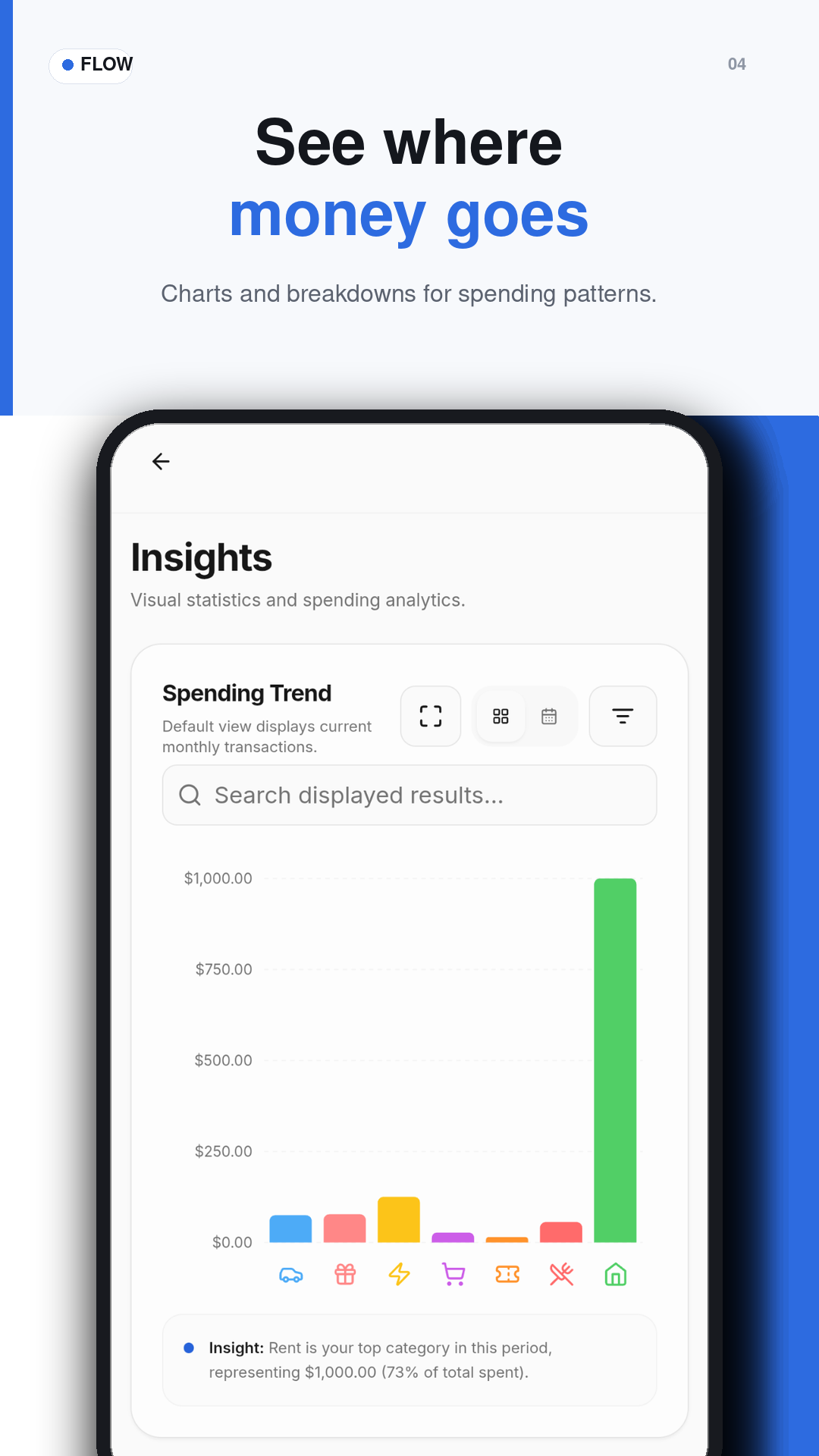
Read Insights
Review charts and breakdowns to understand where your money goes.
Export When Needed
Create local backup files when you want to protect or move your Flow data.
Get Flow on Google Play
Download Flow directly from Google Play, or explore the open-source code on GitHub.